The reporting comes off IT's queue.
Over 50 standard reports ship on day one. Everything else your team builds itself, with no coding, on the same reconciled warehouse.
- Standard reports
- 50+
- Custom reports, dashboards and alerts
- Unlimited
- Required to build one
- No coding
One report, delivered four ways.
A report is a query against the warehouse. A dashboard, a schedule and an alert are three ways of delivering the same figure: so they never disagree.
Pick measures and dimensions, group by unit, region, period or daypart, drill from the estate to the check. Over 50 ship on day one.
The same reports as tiles, with Widget View putting the numbers an operator checks first on one screen.
Set a threshold on any report and every exception is flagged for you, naming the unit and the size of the gap.
Delivered to a group on a schedule, or posted to the general ledger, payroll and pay-card systems you already run.
From a grid to an answer.
Every report reads the same reconciled warehouse, so a dashboard, a scheduled export and an alert all show the same number. Drill from an estate rollup to a region, to a unit, to the check.
Compare against last year, budget or another region on the retail calendar (period and week, not the calendar month), and the comparison holds when a unit opens, closes or changes concept.
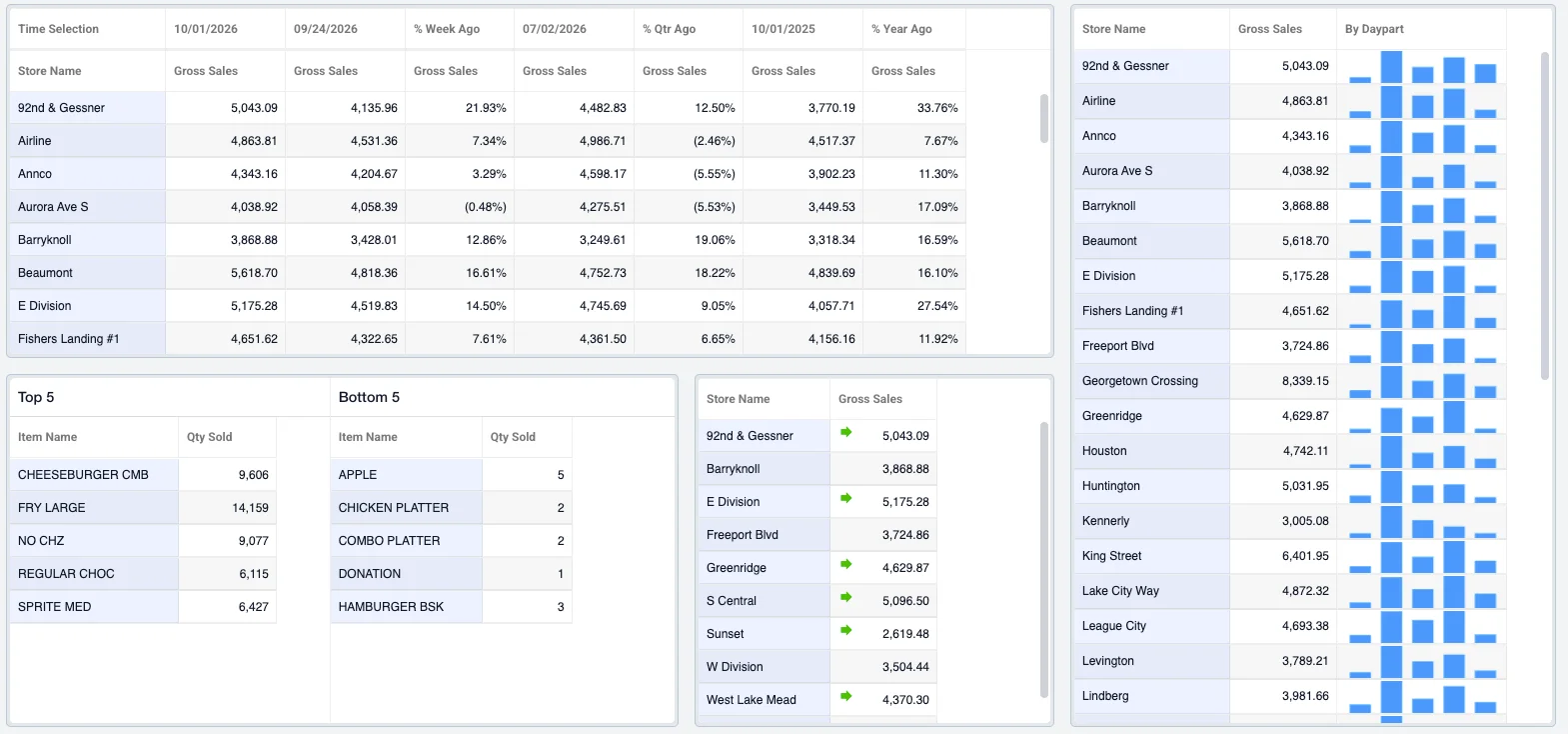
Four steps, no code.
- Pick the measuresNet sales, labor %, prime cost, guest count: any measure the warehouse holds
- Group and compareBy unit, region, concept, period or daypart, against last year or budget
- Filter and highlightA region, a daypart, an employee. Conditional logic colours the cells that matter
- Save, share, scheduleA saved view for the team, a scheduled delivery, or an alert with a threshold
Recent additions.
Each of these shipped recently and is described on the Mirus blog.
Search and open individual checks from any report: the search Portillo’s called almost impossible before.
Rules that highlight the cells that matter, so a report shows the exception rather than asking the reader to find it.
The numbers an operator checks first, on one screen, in place of dense tables and spreadsheets.
The same reports and alerts on a phone, with finer control over who sees what.


See it against your own systems.
A scoped demo built on your POS, labor and accounting feeds: not a generic walkthrough.